

After spending hours choosing, designing, and tweaking your WordPress theme, you may have been disappointed at how your site looked the first time you opened it in a mobile browser. The built-in browsers on iOS, Android, and modern Blackberry devices can display full desktop sites, but they can still often be hard to easily use on a mobile device. What if you could easily make your WordPress blog work like a custom iOS webapp that was specially designed for mobile devices? With WPtouch 2 Pro, you can do this quicker and easier than before.
Getting Started
WPtouch 2 Pro is a professional WordPress plugin that can transform your WordPress site into a native mobile experience for modern smartphone browsers. The latest version loads faster than the previous free version, and includes custom mobile themes, internationalization, iOS homescreen integration, and tons of other ways you can trick out your mobile site.

You can purchase it from BraveNewCode for $29 for one site, $59 for a 5 site license, or $199 for an unlimited developer license. Once you’ve purchased WPtouch Pro, you’ll receive a new product key and can download the plugin. Install it on your blog as normal (or follow our simple guide if you’re unsure how to do it), and then activate it from your dashboard.
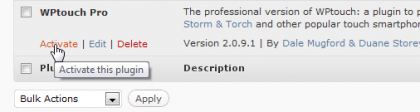
If you had the older, free WPtouch 1.9 installed, you’ll want to Deactivate it so you they won’t interfere with each other.

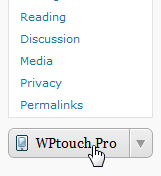
Now you’re ready to activate WPtouch 2 Pro. Click the new WPtouch Pro button on your left sidebar to edit your WPtouch settings.
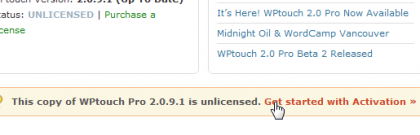
You’ll be reminded on the settings page that the your plugin is unlicensed. Click the Get started with Activation link to add your account info.
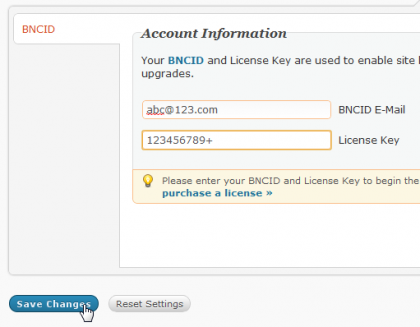
Enter your email address and the address key you received when you purchased WPtouch 2 Pro, then click Save changes.
Once your account info is saved, you’ll be prompted to add this site to your account. Click the link in the prompt, or select the new Manage Licenses tab.

Click Activate This Domain to activate WPtouch 2 Pro on your site.
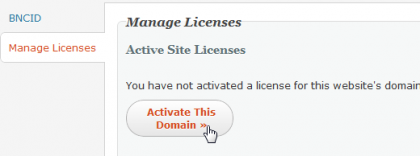
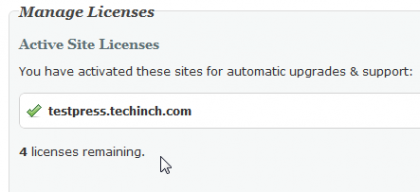
After a moment, you’ll see that your site has been activated. If you purchased a multi-license pack, you’ll also see how many licenses you still have available.
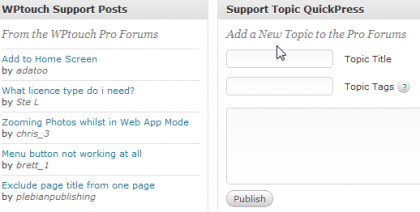
Once your plugin is activated, you’ll be able to browse the WPtouch support forums and post a new support request directly from the plugin’s main admin page. Additionally, WPtouch Pro will automatically receive updates just like your other WordPress plugins whenever they’re released.
If you had purchased a multi-site license, you’ll simply need to repeat these steps to install and activate WPtouch on the other sites. When you add your BNCID info and are ready to activate your site, you’ll see the other sites listed that are already activated. Click Connect a license for this site to add your license to this site as well.
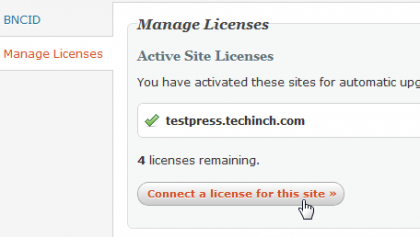
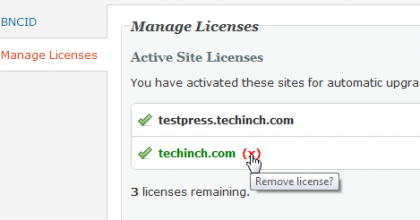
Once you’ve added an extra site, you’ll see it show up in your license list on both sites. You can remove the license from the extra site if you ever need to move it to a different site.
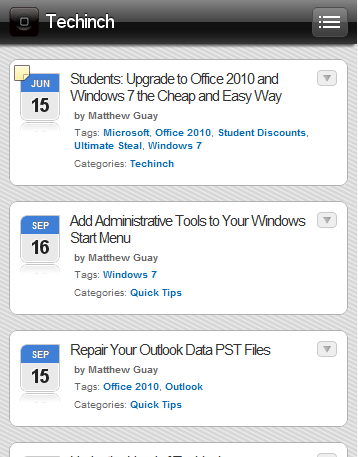
Now, if you visit your site on a mobile device, you’ll see your new mobile theme in action. It already looks much nicer than before! If you’d like to preview how your site looks on an iOS device from your desktop, check this article to see How to Preview Mobile Sites in Safari for Windows or Mac.
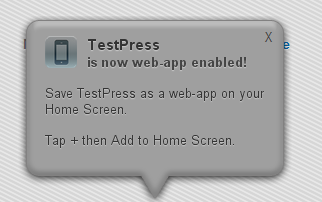
Your site will will even be ready to run in webapp mode on iOS devices without any extra setup. However, if you add your site to your homescreen right now, it’ll be using the generic WPtouch icon and branding. Let’s see how you can customize your mobile experience in WPtouch Pro.
Customize WPtouch 2 Pro
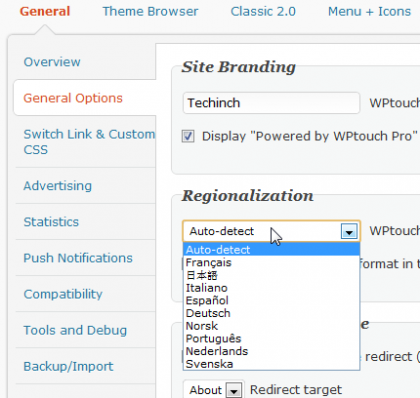
WPtouch 2 Pro offers an amazing amount of configuration options. From the General page, you can customize your mobile site’s name, language, add custom advertising and statistics tracking, and more.
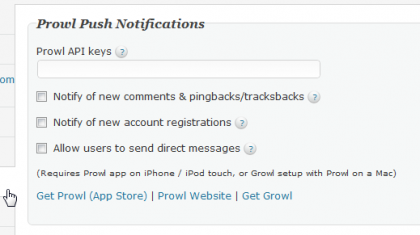
One very interesting option on the General tab is Push notifications. From this settings pane you can add your Prowl API key so iOS users will get push notifications from your site. This makes your site feel even more integrated on iOS devices.
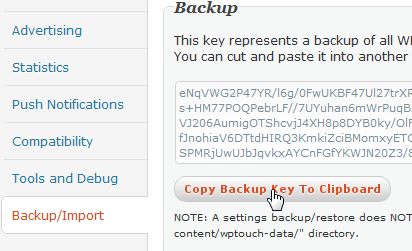
You can also backup your WPtouch Pro settings or import them from another blog on this page.
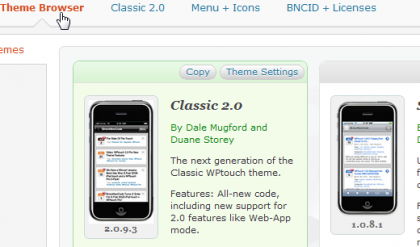
From the Theme Browser page, you can choose from avilable mobile themes. Currently WPtouch 2 offers Classic 2 and Skeleton, a base mobile theme that you can tweak on your own, but the developers promise more themes and child theme support over time.
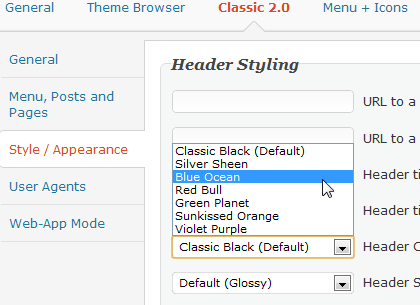
Once you’ve chosen the theme you want, you can choose from a wide variety of customizations for your mobile site. WPtouch lets you tweak fonts, header styles, background themes, menus, and more without touching any code.
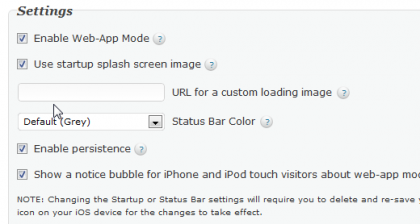
You can even change how your site acts in webapp mode, and add a custom image to display while you site loads from a homescreen shortcut.
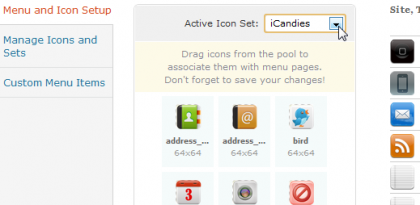
Then, to top it all off, you can choose from a wide variety of high quality icons to make your mobile site’s menus look just like you want. If you can’t find any that suit your taste, you can always add your own custom icons.
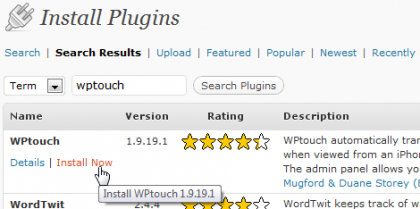
If you’d like to get started with a cheaper mobile theme, or just try out WPtouch before purchasing WPtouch 2.0 Pro, you can always install the older WPtouch 1.9 for free for the WordPress Plugin Directory. This older version isn’t as flexible, integrated, and sleek as the latest version, but it’s a great way to get a mobile version of your site online quickly for free. And if you like it, you can always purchase WPtouch 2 Pro and switch!
WPtouch is a great plugin that makes your blog feel like it was custom designed for mobile devices. If you want to make sure your site works as good for readers on modern smartphones as it does in a traditional browser, be sure to give it a try. And as the mobile ecosystem gets more complicated with new tablets and other form factors, WPtouch Pro will still be a great choice, as they’re currently working hard on a free update for 2.0 users that will make their sites feel like native iPad apps as well. That’s a mobile strategy that’s hard to beat!
wptouch pro, wptouch, wptouch pro download, wptouch plugin, wp touch, wptouch mobile ads, wp touch pro how to install, wp touch pro for free, wp touch pro, wp touch can you have a picture
Related articles:





Excellent! I’ve been ignoring the fact that my droid doesn’t like several of my sites.. You’ve given me instant fixes.