

WooCommerce: An open-source eCommerce plugin for WordPress
An e-commerce toolkit that helps you sell anything. Beautifully.
Transform your WordPress website into a thorough-bred online eCommerce store. Delivering enterprise-level quality & features whilst backed by a name you can trust.
Built upon core WordPress functionality for stability, with enough hooks and filters to satisfy the most avid theme developer.
Your business is unique, as should your online store. Choose one of our themes or build your own and give it a personal touch using the built in shortcodes and widgets.
Keep birds-eye view of incoming sales and reviews, stock levels and general store performance and statistics all from the WordPress dashboard.
Download: http://wordpress.org/extend/plugins/woocommerce/
Demo: http://test.woothemes.com/
Authorize.net AMI Payment Module for WooCommerce
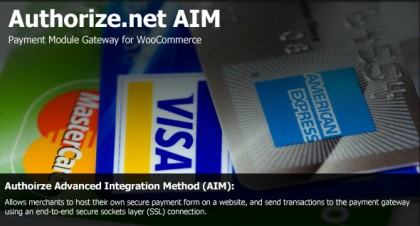
The security of an AIM transaction is ensured through a 128-bit Secure Sockets Layer (SSL) connection between the merchant’s Web server and the Authorize.Net Payment Gateway.
AIM allows merchants the highest degree of customization and control over their customers’ checkout experience.
Customer use their credit card during the checkout process and Authorize.net handles the rest. This lets your users never leave your website for making payments.
Shipping Details Plugin for WooCommerce
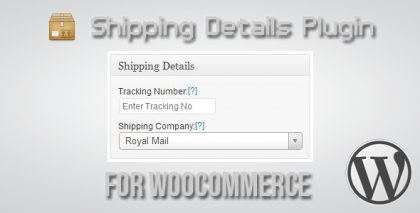
Shipping Details Plugin is a WordPress Plugin which allows the WooCommerce Plugin Users to enter Shipment Tracking Number and Display them on Track you Order and View Order Pages and also send them via Email when Order is marked Complete.
The Plugin also Creates Dynamic Tracking URLs for the already listed companies in it. So the user can simply click the link on any of the pages or in the email which open a new window in the browser where user can see the tracking results without having to enter the tracking number on the Shipping Companies Site.
WooCommerce MailChimp Subscribe - WordPress Plugin
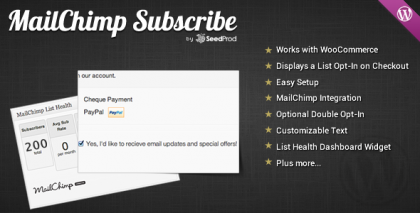
The SeedProd WooCommerce MailChimp Subscribe WordPress plugin displays a newsletter signup checkbox on checkout for WooCommerce integrated with MailChimp. Also includes a MailChimp List Health Dashboard Widget.
DVin WooCommerce Wishlist WP Plugin
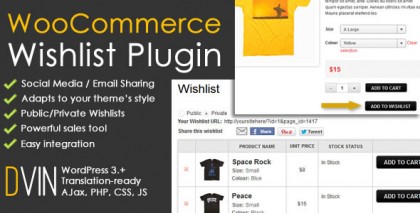
The WooCommerce Wishlist Plugin for WordPress allows your visitors/customers to add products to a personal wishlist that they may save to purchase later or share with their friends.
Increase your conversion rates by allowing your customers to maintain a list of products they would like to buy. Increase the usefulness by allowing them to share it on tools they are familiar with: Email, Facebook, Twitter, and Pinterest.
PayPal Pro Credit Card gateway for WooCommerce

Do you want to accept credit cards on your website and save users confusion and time? This credit card gateway plugin for Woo Commerce lets you accept credit card payments directly on your website via PayPal.
Customers use their credit card during the checkout process and Paypal handles the rest. This lets your users never leave your website for making payments.
You must obtain a valid SSL certificate to ensure your customer credit card details are safe.
Stripe Credit Card Gateway for WooCommerce

Do you want to accept credit cards on your website and save users confusion and time? This credit card gateway plugin for Woo Commerce lets you accept credit card payments directly on your website via Stripe payment gateway.
Customer use their credit card during the checkout process and Stripe handles the rest. This lets your users never leave your website for making payments.
You must obtain a valid SSL certificate to ensure your customer credit card details are safe.
WooCommerce E-Commerce Bundle Rate Shipping
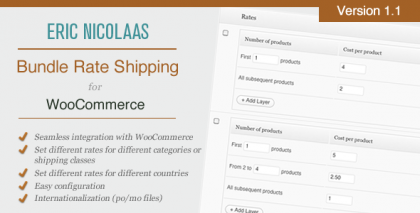
The WooCommerce Bundle Rate Shipping Plugin is designed to be flexible, so you can define bundled shipping rates based on the shipping destination, the categories of the products being sold, or their shipping class.
You can also add additional layers for each category, adding a degree of complexity that you may find suitable for your store’s situation. For example, if you sell books, you could charge $5 for the first book, $2 for the 2nd, 3rd and 4th books, and nothing for any additional books purchased.
WooCommerce Australia Post Shipping Calculator
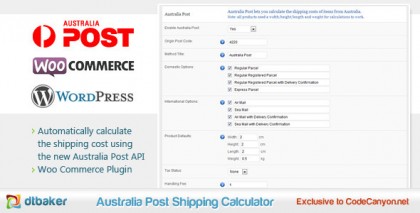
Australia Post Shipping Calculator adds automatic postage calculations for Australian WooCommerce users. This plugin uses the new Australia Post json API available here: http://auspost.com.au/devcentre/
PayPal Pro Payment Module for WooCommerce
PayPal Payments Pro (known as Website Payments Pro outside the US) is an API -based solution that enables merchants and developers to accept credit cards, debit cards, and PayPal payments directly on their website.
Viral Coupon - Like, Tweet or G+ to get a Discount

Make your e-commerce site go viral by offering your customers a discount if they Facebook Like, Google+1 or Tweet about your site. Viral Coupon integrates with WooCommerce to automatically apply a coupon if the user Likes or Shares your link. Viral Coupon is the first of its kind to combine the power of Facebook, Google+ and Twitter with the incentive of a discount. More likes and tweets = More sales $$$!
Product Slider Carousel WooCommerce

Now it supports fine latest WooCommerce version 1.5.6+ and comes with nice corrections and right image size support. Enjoy it and don’t forget to give your feedback and help improve the item.
Authorize.net Credit Card Gateway for WooCommerce

Do you want to accept credit cards on your website and save users confusion and time? This gateway plugin for Woo Commerce lets you accept credit card payments directly on your website via Authorize.net.
Customer use their credit card during the checkout process and Authorize.net handles the rest. This lets your users never leave your website for making payments.
This extension uses the AIM API to pass credit card details to Authorize.net from your site. You must obtain a valid SSL certificate to ensure your customer credit card details are safe.
Product Slider for WooCommerce

This extension will display a slide show for all your products. It’s very easy to setup because it has integrated into the Woo Commerce settings page.
The slider can show different text for each slide. It also responds to keyboard navigation and can pause on mouse over. Other settings are available for finder adjustment of the slideshow.
BeanStream Gateway for WooCommerce

BeanStream Payment Gateway provides an easier, cost effective and simple alternative for a small business for accepting credit cards.
And this WordPress Plugin allows the WooCommerce plugin to accept credit card payments on your site through BeanStream Merchant Account.
Important Notes : To use this Gateway Implementation make sure your site is SSL enabled.
Fancy Product Preview For WooCommerce

Fancy Product Preview for WooCommerce converts the product thumbnails on your WooCommerce catalog/category pages to a fancy product preview gallery. Simply roll over an image thumbnail and be greeted with a larger image preview and/or gallery of additional images.
Payment Express Gateway for WooCommerce

Payment Express Payment Gateway is a WordPress Plugin which allows the WooCommerce plugin to accept credit card payments without worrying the Customers Credit Cards Details which are taken care by the Payment Express.
Important Notes : This Gateway Implementation Requires the cURL to Enabled on your Hosting Account.
PayPal Digital Goods Module for WooCommerce

PayPal for Digital Goods – Express Checkout streamlines the online payment process by providing stored billing and payment information from the PayPal site. Using PayPal for Digital Goods – Express Checkout can be as simple as integrating the Express Checkout application programming interface (API) on top of your existing implementation.
PayPal Express Payment Gateway for WooCommerce
The Express Checkout button gives buyers another way to pay, and it complements your existing payment solution. Online shoppers appreciate the convenience and security of PayPal, where they can pay with their PayPal balance, bank account, or credit card.
Rewards for WooCommerce
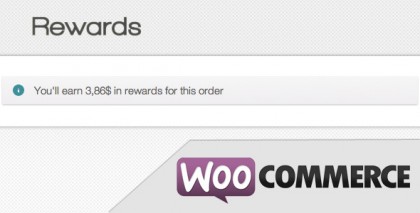
Possibility of choosing the percentage of rewards for each sales
Choose where to show the rewards of the customer
Custom page “My rewards” added to WooCommerce, the customer can see how much they earned and how much they spend in rewards
Possibility to choose where to apply the rewards (Subtotal, Total or Total without shipping)
User with rewards can use them on their next order
Wordpress shortcode to show how much the customer has in their cart and in their account
Social Buttons for WooCommerce

This Social Buttons Plugin for WooCommerce helps add the Social Sharing Button like Facebook Recommend, Google +1, Twitter Share, Digg it and Reddit to Products Page. So the customers who want to share the product with their friends can easily do that.
You can also select what button you want to display while setting up the Product in case you want to disable any social button from being added to particular Products. By default all buttons get added to Product.
If you feel this info is important share it to your friends and subscribe us to be upadate with us.
woocommerce social share, best woocommerce plugins, australian credit card payment plugins woo commerce, woocommerce shipping calculator, woocommerce plugins, woocommerce plugins download, viral coupon woocommerce, checkout link in product detail page woocommerce, plugins woocommerce, credit card of paypal for woocommerce
Related articles:






[...] Click here to view original web page at wpwidgets.net Share this:FacebookRedditDiggShareStumbleUponEmail Posted by admin at 2:17 pm Tagged with: premium, review COMMENT: Please Comment on the Original Article Website - Link at the top of this page [...]